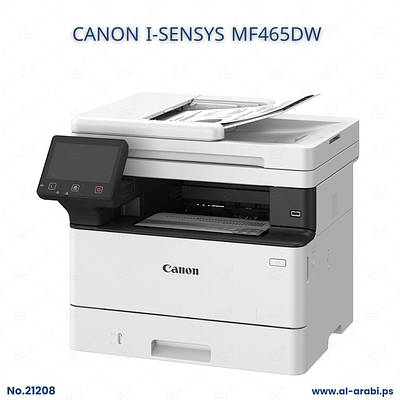
EPSON Workforce Pro WF-C5890DWF printer

2400.0
Add to cart
*The price excludes delivery cost. Delivery cost: West bank cities 20 ils, Jerusalem 30 ils.
*Delivery may take up to 4 working days.
Product Description:
- EPSON Workforce Pro WF-C5890DWF printer
Epson WorkForce Pro WF-C5890DWF is a 4-in-1 color multifunction business inkjet printer
Printer specifications
• Functions: Print, Scan, Copy, and Fax with automatic 2-sided (duplex) support across all functions.
• Print Technology: PrecisionCore Heat-Free Print Head with DURABrite Ultra pigment inks.
• Print Speed: Up to 25 ISO ppm (mono and color); maximum speeds up to 34 ppm.
• Print Resolution: Up to 4,800 x 1,200 optimized DPI.
• Scanner Resolution: 1,200 x 2,400 DPI.
• Scan Speed: Up to 24 ipm (single-sided) / 7.5 ipm (duplex).
• Copy Speed: Up to 22 ipm (mono/color).
• Automatic Document Feeder (ADF): 50-sheet duplex ADF.
• Paper Handling:
• Standard Input Capacity: 330 sheets (250-sheet main tray + 80-sheet rear multi-purpose tray).
• Maximum Input Capacity: Up to 1,830 sheets using three optional paper cassettes.
• Output Tray: 150 sheets.
• Ink Yield: Replaceable ink pack system yielding up to 10,000 mono pages and 5,000 color pages.
• Interfaces: Hi-Speed USB, Gigabit Ethernet, Wi-Fi (802.11 b/g/n/ac), Wi-Fi Direct, and NFC.
• Mobile & Cloud Printing: Epson Connect, Apple AirPrint, Mopria.
• Control Panel: 10.9 cm (4.3-inch) color touchscreen.
• Physical Dimensions & Weight:
• Dimensions (W x D x H): 425 x 535 x 357 mm
**The system for "hacking" or modifying the Epson WorkForce Pro WF-C5890DWF printer to operate without chips (Chipless System)—combined with the installation of external ink reservoirs (Continuous Ink Supply System - CISS)—relies on the following:
· System Concept (Chipless Firmware)
• Eliminating Chips: A specialized firmware update (modified firmware) is installed on the printer to disable the reading of ink cartridge chips; consequently, the printer always registers the ink levels as 100% full.
External Ink Reservoirs: Special cartridges or tubes are connected to much larger external ink tanks or reservoirs, which are filled with bulk liquid ink
Similar Products